
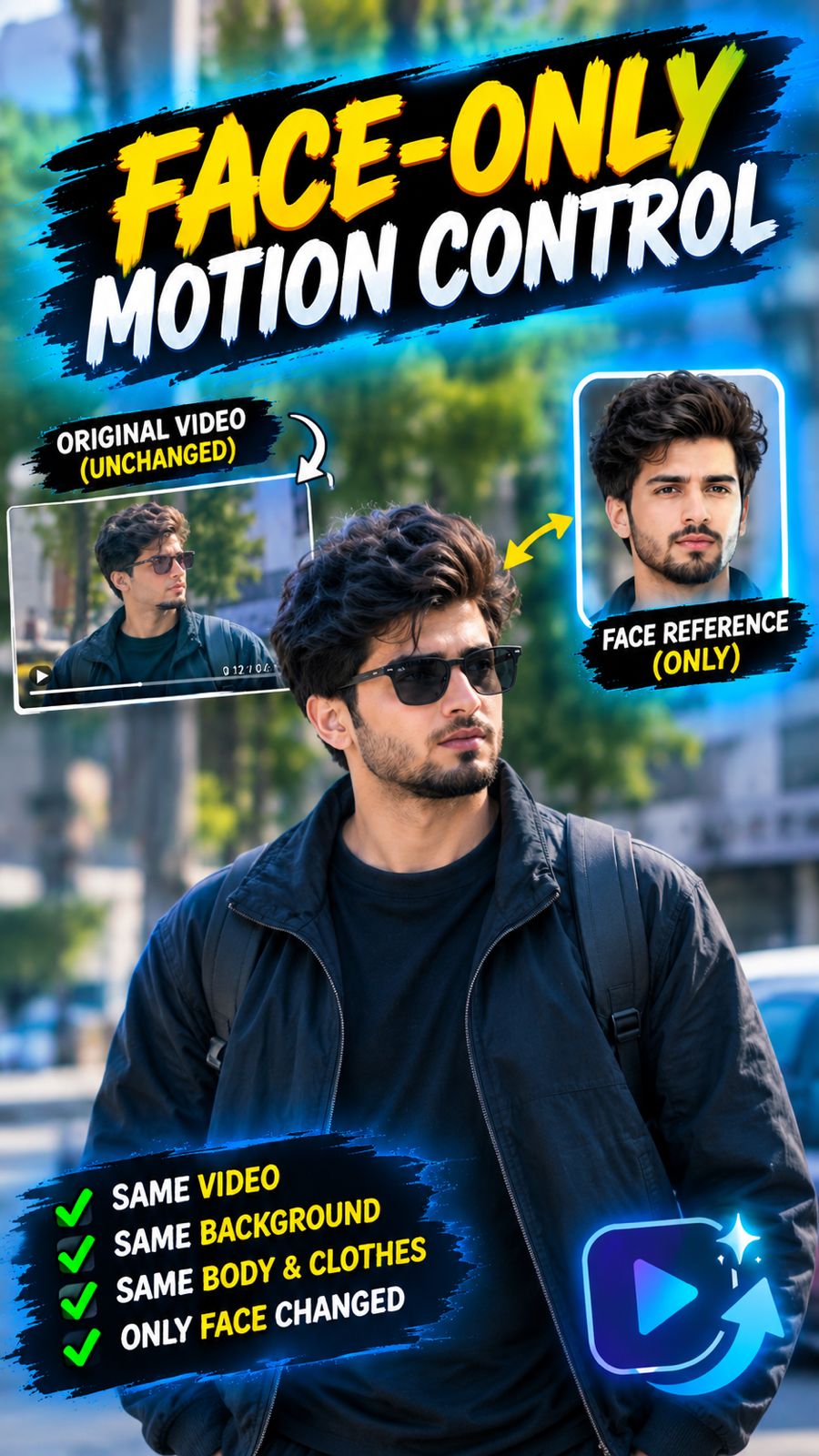
This page is one Video Prompt from the PromptPix app — FACE-ONLY MOTION CONTROL. Image Prompt (still) and Video Prompt (motion) stay on this card. No other video is mixed in.
This card asks the model to keep an uploaded face or reference. Leave those lock lines in on the first generate.
Copy Image Prompt for a still, or Copy on the Video Prompt for motion. Then open Flow, Gemini, or ChatGPT and paste. The site does not auto-paste.
FACE-ONLY MOTION CONTROL
Video Prompt
FACE-ONLY MOTION CONTROL — STRICT REFERENCE PRESERVATION

Use @video1 as the complete and unchangeable source video.

Use @image2 ONLY as the facial identity and hairstyle reference.

CORE INSTRUCTION

Recreate @video1 exactly as it is.

The ONLY modification allowed is:

Replace the face and hairstyle of the main person in @video1 with the exact face and hair from @image2.

Everything else must remain from @video1.

The result must look like the original @video1 was recorded with the person from @image2, without changing the original video itself.

DO NOT CHANGE THE REFERENCE VIDEO

Keep 100% of the original @video1:

- Same location
- Same background
- Same environment
- Same objects
- Same people
- Same body
- Same body shape
- Same height
- Same posture
- Same hands
- Same arms
- Same legs
- Same shoes
- Same clothes
- Same clothing colors
- Same accessories
- Same acting
- Same gestures
- Same choreography
- Same movement
- Same walking style
- Same body position
- Same interaction with objects
- Same camera
- Same camera angle
- Same camera movement
- Same framing
- Same lighting
- Same shadows
- Same color grading
- Same depth of field
- Same background blur
- Same environment
- Same video timing
- Same frame composition

Do not regenerate these elements.

FACE-ONLY REPLACEMENT

Take the exact facial identity from @image2 and naturally integrate it onto the head of the main person in @video1.

Preserve from @image2:

- Exact face identity
- Face shape
- Eyes
- Eyebrows
- Nose
- Lips
- Cheeks
- Jawline
- Chin
- Skin tone
- Natural facial texture
- Natural age
- Hair
- Hairline
- Beard/moustache if present

The face must remain the same real person from @image2.

Do NOT beautify, retouch, smooth, reshape, sharpen unnaturally, age, de-age, or redesign the face.

HAIR

Use the hairstyle and hairline from @image2 only where naturally visible.

Integrate the hair realistically with the existing head position, lighting and movement of @video1.

Do not change the person's body or clothing to accommodate the hairstyle.

BODY LOCK

ABSOLUTELY DO NOT replace the body of the person in @video1.

Keep the original body exactly as shown in @video1.

Do not transfer the body, clothes, pose, proportions, height, hands, arms or legs from @image2.

Only the face and hair identity from @image2 should be applied.

CLOTHING LOCK

Keep the exact clothing from @video1.

Do NOT use clothing from @image2.

Do NOT change:

- Shirt
- T-shirt
- Jacket
- Pants
- Shoes
- Accessories
- Clothing colors
- Fabric
- Clothing design

The final person must wear exactly the same clothes as the person in @video1.

LOCATION & BACKGROUND LOCK

Keep the exact location and background of @video1.

Do NOT move the person to a new location.

Do NOT generate a new background.

Do NOT replace the environment.

Do NOT change the room, street, building, scenery, objects or surroundings.

The final video must remain visually identical to @video1 except for the face and hair identity.

MOTION LOCK

Keep the original person's exact acting and motion from @video1.

The face must follow the original head movement naturally.

Preserve:

- Head turns
- Eye direction
- Blinking
- Facial orientation
- Body movement
- Gestures
- Walking
- Sitting
- Standing
- Timing
- Speed
- Pauses

Do not create new acting.

Do not change choreography.

Do not change body movement.

AUDIO / MUSIC LOCK

Keep the original audio, dialogue, music and sound effects from @video1 exactly unchanged.

Do NOT generate new music.

Do NOT replace the soundtrack.

Do NOT add new dialogue.

Do NOT change voices.

Do NOT add sound effects.

Do NOT mute the original audio.

The final video must use the exact original audio track from @video1.

CAMERA LOCK

Keep the exact camera from @video1.

Do not change:

- Camera angle
- Camera distance
- Camera height
- Camera movement
- Zoom
- Pan
- Tilt
- Tracking
- Framing
- Perspective

The camera must behave exactly like the original video.

REALISTIC FACE INTEGRATION

The inserted face must look physically present in the original footage.

Match the original video's:

- Lighting direction
- Exposure
- Skin illumination
- Shadows
- Highlights
- Motion blur
- Depth of field
- Focus
- Camera perspective
- Head rotation
- Facial scale

The face must remain naturally attached to the original person's head throughout the entire video.

No visible face-swap artifacts.

No floating face.

No mask-like appearance.

No plastic skin.

No AI-looking face.

No identity drift.

ABSOLUTE PRESERVATION RULE

Think of this task as:

ORIGINAL VIDEO = 100% PRESERVED

UPLOADED IMAGE = FACE + HAIR IDENTITY ONLY

Nothing else from @image2 should be transferred.

The final result should look like:

“The exact original @video1 was recorded with the real person from @image2.”

NOT:

“A new character was generated based on @image2.”

FINAL NEGATIVE INSTRUCTIONS

Do NOT change the location.
Do NOT change the background.
Do NOT change the body.
Do NOT change the clothes.
Do NOT change the acting.
Do NOT change the choreography.
Do NOT change the camera.
Do NOT change the lighting.
Do NOT change the objects.
Do NOT change other people.
Do NOT change the audio.
Do NOT change the music.
Do NOT generate a new scene.
Do NOT regenerate the entire character.
Do NOT transfer the body from @image2.
Do NOT transfer clothing from @image2.
Do NOT reinterpret the video.

ONLY replace the main person's face and hairstyle with the exact identity from @image2 while preserving everything else from @video1 exactly.
FAQ
What is this video prompt?
Yes — one card: FACE-ONLY MOTION CONTROL. Same as tapping that video in the PromptPix app.
Should I upload a reference photo?
Yes if the text says to match a face or scene. Add the photo in Flow or Gemini, then paste this prompt without deleting the match lines.
Image Prompt vs Video Prompt on this card?
Image Prompt is for a still in Gemini or ChatGPT. Video Prompt is for motion in Flow or Gemini video. Copy only the block you need.
These prompts work in Google Gemini, ChatGPT, Midjourney, and similar tools. For Image to Prompt from your own photo, use the PromptPix app.





