
This page is one Video Prompt from the PromptPix app — Highly Provided Closely. Image Prompt (still) and Video Prompt (motion) stay on this card. No other video is mixed in.
This card asks the model to keep an uploaded face or reference. Leave those lock lines in on the first generate.
Copy Image Prompt for a still, or Copy on the Video Prompt for motion. Then open Flow, Gemini, or ChatGPT and paste. The site does not auto-paste.
Highly Provided Closely
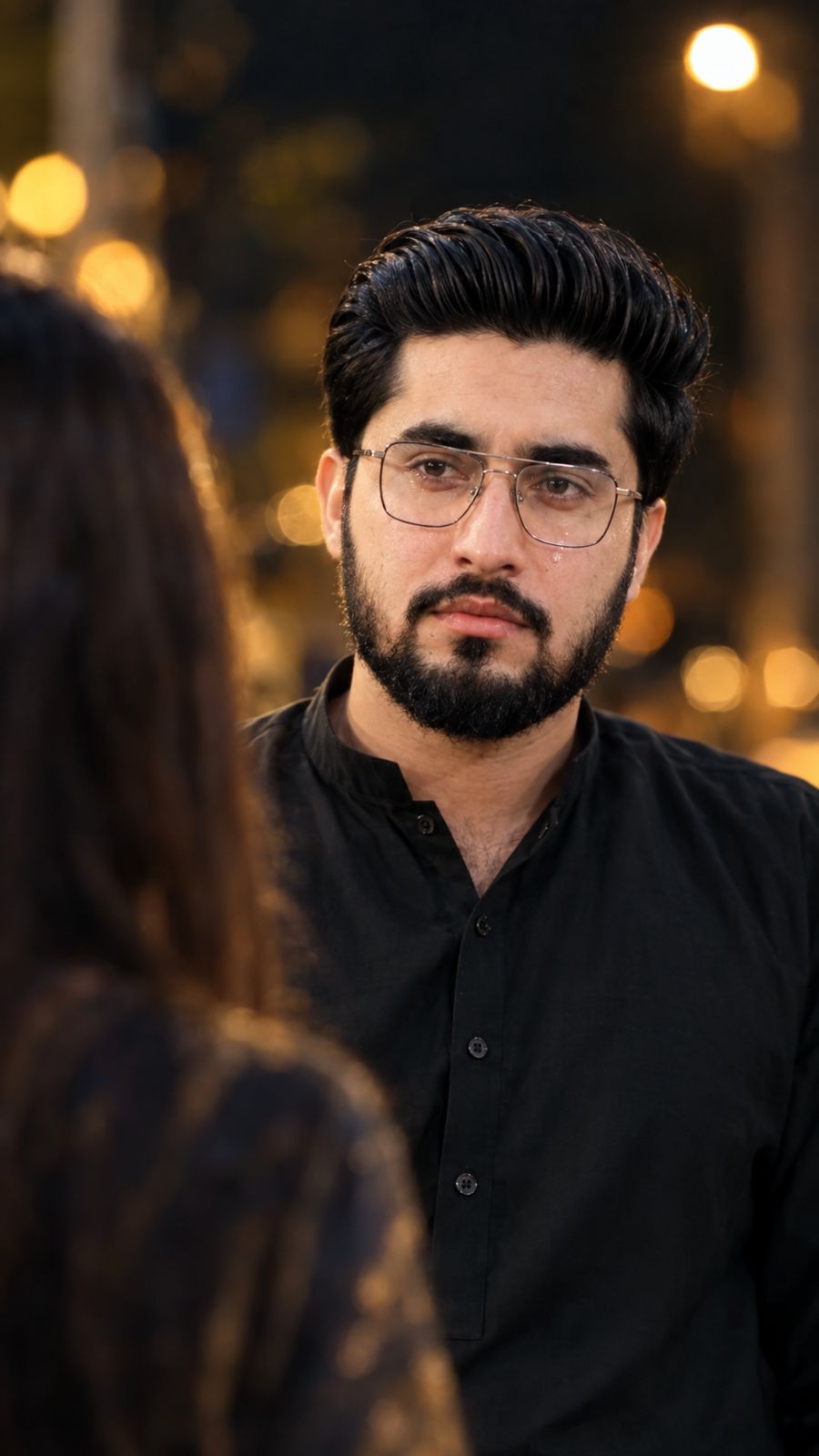
Image Prompt
Use the uploaded person’s photo as the PRIMARY SUBJECT REFERENCE. Create an ultra-realistic vertical 9:16 cinematic night portrait matching the reference image’s composition, framing, depth, lighting, and emotional atmosphere. IDENTITY: Preserve the subject’s exact facial identity, face shape, skin tone, eyes, eyebrows, nose, lips, jawline, hairstyle, and natural features. Do not beautify, redesign, or change the face. SCENE: Place the primary subject slightly center/right, looking emotionally toward a person standing very close in front of them. Add a SECONDARY FOREGROUND PERSON of the OPPOSITE GENDER—female if subject is male, male if subject is female. Show only their blurred back/shoulder/head in the lower-left foreground. Use extremely shallow depth of field: primary subject sharp and detailed, foreground person heavily blurred with natural optical bokeh. Dark nighttime background with soft warm golden/orange practical lights and cinematic bokeh. Give the primary subject a subtle sad, heartbroken expression with watery eyes or gentle tears. Soft low-key lighting, realistic skin texture, natural shadows, cinematic contrast, 50–85mm lens look, realistic focus falloff and filmic color grading. Ultra-photorealistic, authentic camera optics, natural human proportions, realistic hair and skin, cinematic movie-frame quality. Do not change identity, distort features, over-smooth skin, sharpen the foreground person, reveal their face clearly, duplicate people, or add text, watermark, logo, or captions.
no face change 100% mat reference photo
Video Prompt
Create a highly realistic cinematic video from the provided image, closely matching the provided reference video. Keep the main subject’s face, identity, hairstyle, clothing and appearance exactly consistent with the input image. Recreate the same emotional cinematic performance and shot composition: the subject looks emotionally toward the blurred opposite-gender person standing very close in the foreground, with the foreground person heavily out of focus. The subject subtly moves their eyes, blinks naturally, lowers their gaze, then looks back emotionally. Add subtle realistic facial expressions and watery eyes. Use shallow depth of field, cinematic nighttime lighting, warm golden bokeh, realistic skin texture and natural camera focus. Then smoothly transition to a slightly wider shot as the subject turns away and slowly walks away, maintaining the same emotional mood. Natural human movement, realistic cinematic camera motion, smooth focus transitions, photorealistic quality, no face morphing, no identity change, no distorted body or hands, no extra people.
Create a polished corporate headshot of a young man wearing a charcoal suit and white shirt against a light-gray studio background. Use soft Rembrandt lighting, realistic skin texture, natural expression, sharp eyes, subtle shadows, and a professional LinkedIn aesthetic.
FAQ
What is this video prompt?
Yes — one card: Highly Provided Closely. Same as tapping that video in the PromptPix app.
Should I upload a reference photo?
Yes if the text says to match a face or scene. Add the photo in Flow or Gemini, then paste this prompt without deleting the match lines.
Image Prompt vs Video Prompt on this card?
Image Prompt is for a still in Gemini or ChatGPT. Video Prompt is for motion in Flow or Gemini video. Copy only the block you need.
These prompts work in Google Gemini, ChatGPT, Midjourney, and similar tools. For Image to Prompt from your own photo, use the PromptPix app.





