
This page is one Video Prompt from the PromptPix app — Man's Hairstyle Skin. Image Prompt (still) and Video Prompt (motion) stay on this card. No other video is mixed in.
This card asks the model to keep an uploaded face or reference. Leave those lock lines in on the first generate.
Copy Image Prompt for a still, or Copy on the Video Prompt for motion. Then open Flow, Gemini, or ChatGPT and paste. The site does not auto-paste.
Man's Hairstyle Skin
Video Prompt
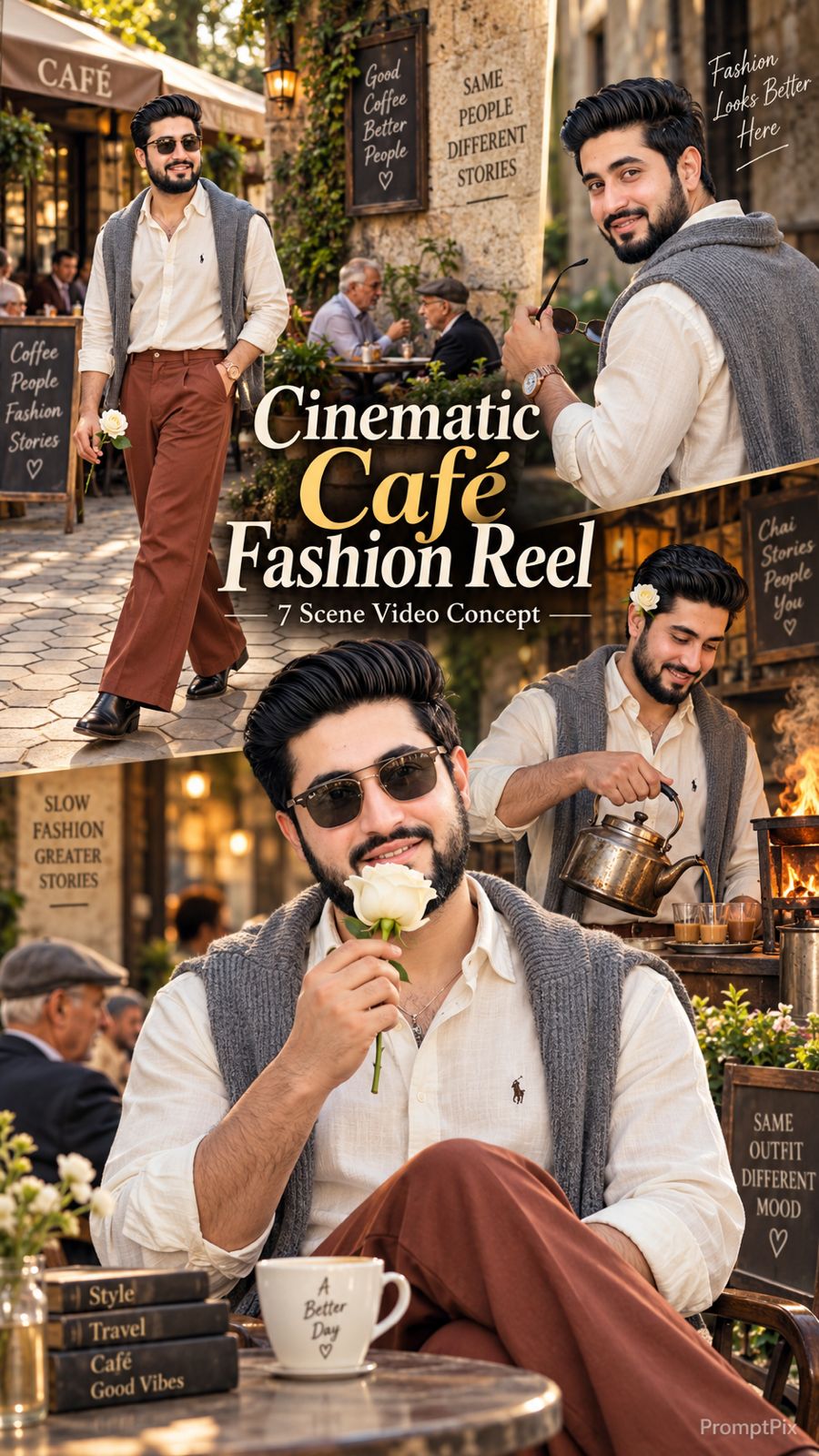
Use the uploaded reference photo for the man's face, hairstyle, skin tone, body build and height. Keep identity exactly same as reference photo — no alteration to face, body, or hairstyle in any scene. Keep his skin natural, clean, and clear exactly as shown in the reference photo — no artificial smoothing, no plastic look, no added blemishes. Keep the person's body proportions natural and realistic, matching the exact build shown in the reference photo — do not add extra muscle, height, or bulk. This must work accurately for any person of any age or body type who uploads their own reference photo — the generated face, skin, and body must always match the uploaded photo exactly, never a generic or different look. Outfit (same throughout, do not change): a cream/ivory button-down shirt with a small embroidered polo logo, a grey knit cardigan draped over the shoulders, rust-brown wide-leg trousers, black pointed leather boots, a rose-gold wristwatch, and stylish sunglasses. Location (same throughout all 7 scenes, do not change): a charming old-world street café with rustic weathered stone walls, elderly patrons seated at nearby tables, hexagonal-tiled outdoor pavement, a lively street atmosphere, and — for one indoor scene — a rustic tea-stall with an open flame and metal kettle. Color grade: rich, full, natural warm cinematic color grading built directly into the scene — realistic natural colors, warm daylight and firelight tones, cinematic contrast, never faded, never black and white, never desaturated. Create 7 cinematic scenes, same outfit and same locations throughout: Scene 1: Close-up shot — his feet and legs in black pointed boots and rust-brown trousers walking 7 to 8 natural steps along the hexagonal-tiled pavement, passing near a rustic wooden bench, natural daylight. Scene 2: Close-up torso shot — he holds a single white rose delicately in one hand at chest height, no sunglasses yet, an elderly patron seated at a table softly blurred behind him inside the rustic café. Scene 3: Close-up over-the-shoulder shot — he removes his sunglasses with one hand, glancing back toward the camera, bright sunlit background, the rose-gold watch visible on his wrist. Scene 4: Close-up shot — sunglasses now on, he gently holds the white rose up to his face and smells it, weathered stone café wall and blurred patrons behind him. Scene 5: Close-up shot — he tilts his head back with sunglasses reflecting the light, calm relaxed confident pose, same weathered stone wall and café atmosphere behind him. Scene 6: Medium shot — indoors, he pours tea from a traditional metal kettle over an open flame into a small cup and saucer, sunglasses on, the white rose tucked behind his ear, warm firelight glowing on his face, rustic tea-stall setting. Scene 7: Final medium shot — back outdoors on the bright sunlit street, he walks forward holding the white rose near his chest, head lowered thoughtfully then lifting to look at the camera, café tables and passersby softly blurred behind him, cinematic slow zoom-out to finish. Format: 16:9 widescreen, 4K/8K ultra-realistic quality, continuous fashion-editorial story flow from Scene 1 to Scene 7, no scene skipped, smooth cinematic transitions between poses. Watermark: small semi-transparent text "PromptPix" fixed in the same bottom corner throughout, minimal white or light-colored font, low opacity, non-intrusive, appearing only once at any given time.
FAQ
What is this video prompt?
Yes — one card: Man's Hairstyle Skin. Same as tapping that video in the PromptPix app.
Should I upload a reference photo?
Yes if the text says to match a face or scene. Add the photo in Flow or Gemini, then paste this prompt without deleting the match lines.
Image Prompt vs Video Prompt on this card?
Image Prompt is for a still in Gemini or ChatGPT. Video Prompt is for motion in Flow or Gemini video. Copy only the block you need.
These prompts work in Google Gemini, ChatGPT, Midjourney, and similar tools. For Image to Prompt from your own photo, use the PromptPix app.





