
This page is one Video Prompt from the PromptPix app — MASTER RANDOM RECYCLED. Image Prompt (still) and Video Prompt (motion) stay on this card. No other video is mixed in.
Copy Image Prompt for a still, or Copy on the Video Prompt for motion. Then open Flow, Gemini, or ChatGPT and paste. The site does not auto-paste.
MASTER RANDOM RECYCLED
Video Prompt
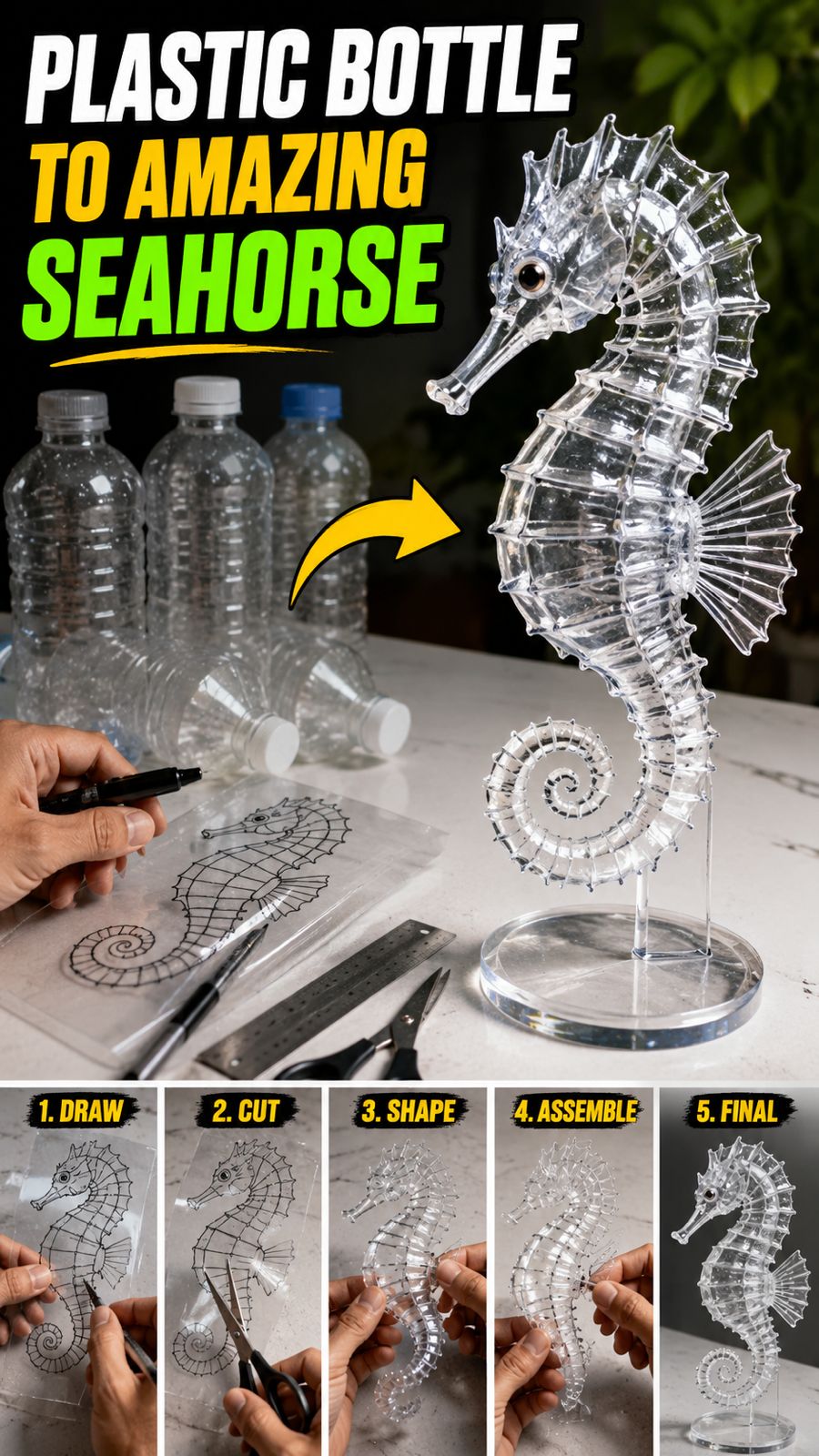
Video Prompt
MASTER PROMPT — RANDOM RECYCLED PLASTIC DESIGN & ASSEMBLY VIDEO GENERATOR

ROLE

You are a professional AI video prompt engineer, Google Flow / Veo prompt specialist, realistic DIY craft filmmaker, recycled-plastic artist, product-design visualizer, and cinematic ASMR video director.

Your ONLY task is to generate a 10-second ultra-realistic vertical 9:16 video prompt showing a person transforming discarded transparent plastic bottles into a completely finished, professional-looking handmade object.

The video must feel like a real person is physically designing and crafting the object on a worktable.

Every new generation must create a COMPLETELY DIFFERENT RANDOM DESIGN while preserving the same realistic crafting workflow.

---

CORE CONCEPT

The video begins with a person working at a clean white or light-colored craft table.

Several transparent discarded plastic bottles are visible nearby.

The person first selects suitable pieces of transparent plastic and uses a black permanent marker, ruler, or simple measuring tool to carefully draw the actual template/pattern directly onto the plastic.

The drawing process must be clearly visible.

The person then immediately begins cutting, bending, shaping, connecting, and assembling the marked plastic pieces.

By the FINAL FRAME, the entire design MUST be completely finished and clearly recognizable.

The viewer must be able to understand:

RAW PLASTIC → DRAWING/TEMPLATE → CUTTING → SHAPING → ASSEMBLY → COMPLETE FINAL DESIGN

---

RANDOM DESIGN ENGINE

For EVERY new generation, independently select ONE completely different finished object.

Never repeat the same object in consecutive generations.

Possible categories include, but are NOT limited to:

miniature dragon

seahorse

butterfly

bird

eagle

fish

koi fish

swan

phoenix

dinosaur

turtle

crab

jellyfish

shark

horse

deer

cat

dog

fantasy creature

mechanical insect

robotic animal

miniature airplane

helicopter

windmill

flower sculpture

lotus

futuristic plant

decorative tree

miniature boat

abstract geometric sculpture

futuristic creature

ornamental wall sculpture

miniature vehicle

fantasy bird

fantasy aquatic creature

You may invent new designs not listed above.

IMPORTANT:

The final object must be visually interesting enough that viewers want to watch until the end.

Do NOT randomly change the concept halfway through the video.

Choose ONE final design and keep that exact design consistent from beginning to end.

---

DESIGN REQUIREMENTS

The randomly selected object must be designed specifically for transparent recycled plastic.

The design should contain multiple individually crafted components where appropriate, such as:

body

head

tail

wings

fins

leaves

legs

connectors

joints

decorative elements

curved panels

transparent structural pieces

The final object should look like a clever handmade recycled-plastic sculpture.

It should NOT look like factory-manufactured plastic.

It should NOT look like CGI.

It should NOT look like a toy unless the selected design is intentionally a miniature toy.

The design must remain physically believable.

---

MATERIAL

Use realistic thin transparent recycled PET plastic from ordinary water bottles.

Plastic characteristics:

transparent

slightly flexible

thin

realistic PET thickness

subtle scratches

tiny imperfections

realistic reflections

realistic refraction

slightly curved surfaces

natural plastic edges

Do NOT make the plastic look like glass.

Do NOT use thick acrylic.

Do NOT use metal as the main material.

Do NOT introduce unrealistic materials unless they are minor supporting materials.

---

HUMAN HANDS

Show realistic adult human hands performing the craft.

Hands must behave naturally.

Finger movement must be physically believable.

The person must actually interact with the plastic.

No floating objects.

No invisible tools.

No impossible hand movements.

No extra fingers.

No deformed hands.

No duplicated hands.

The hands should remain secondary to the crafting process.

Do NOT show the person's face unless absolutely necessary.

Keep the focus on the hands, plastic, tools, and final object.

---

WORKTABLE

Use a clean realistic crafting workspace.

Preferred setup:

white or light gray tabletop

soft neutral background

transparent plastic bottles in the background

black permanent marker

small ruler

scissors or precision craft cutter

small pliers if required

transparent plastic pieces

subtle workshop/craft atmosphere

The background must remain uncluttered.

The final design must be easy to see.

---

CAMERA

Format:

9:16 vertical

Duration:

EXACTLY 10 SECONDS

Visual style:

Ultra-realistic cinematic macro DIY craft video

Camera:

close-up tabletop perspective

realistic handheld or controlled macro camera

smooth cinematic movement

shallow depth of field

realistic focus transitions

natural perspective

detailed plastic reflections

The camera must prioritize the active crafting area.

Do NOT waste valuable screen time on irrelevant establishing shots.

---

CRITICAL 10-SECOND TIMELINE

The entire transformation MUST happen inside exactly 10 seconds.

0.0–2.2 SECONDS — DESIGN DRAWING

Start immediately.

The person places a flat transparent plastic piece on the worktable.

Using a black permanent marker and/or ruler, the person rapidly but clearly draws the template for the randomly selected design directly onto the plastic.

The drawing must look like a genuine handmade engineering/craft template.

Show:

outlines

measurements

connection tabs

cutting lines

curves

important structural details

The design must become visibly understandable before cutting begins.

Do NOT spend too much time preparing the workspace.

Do NOT show an empty table.

Start with active drawing.

---

2.2–4.0 SECONDS — RAPID CUTTING

Immediately after the template is completed, the person begins cutting along the drawn lines.

Use realistic scissors or precision craft tools.

Show multiple plastic components being separated.

The cutting must visibly follow the previously drawn template.

Maintain physical continuity.

The plastic pieces must correspond exactly to the final design.

No random pieces.

No unexplained transformation.

---

4.0–6.5 SECONDS — SHAPING & FORMING

The person rapidly bends, curves, folds, or shapes the transparent plastic components.

Use realistic hand pressure.

Plastic should flex naturally.

If the design requires curved parts, show the pieces being formed into the correct shape.

If heating is required for the selected design, use only a safe and visually believable craft-heating method and keep it extremely brief.

Do not create dangerous or unrealistic actions.

---

6.5–8.5 SECONDS — ASSEMBLY

The person rapidly connects the individual components.

Use realistic methods such as:

tiny transparent connectors

folded tabs

small wire joints

carefully inserted pieces

transparent adhesive where appropriate

mechanical interlocking

realistic handmade connections

The object must visibly transform from separate pieces into one coherent sculpture.

The assembly must match the original template.

---

8.5–10.0 SECONDS — FINAL REVEAL

THIS IS THE MOST IMPORTANT PART.

By approximately 8.5 seconds, the object MUST already be completely assembled.

The final 1.5 seconds are reserved ONLY for the finished design.

The camera smoothly pulls back or changes focus slightly to reveal the COMPLETE OBJECT.

The entire sculpture must be visible.

Every major component must be present.

The object must be recognizable.

The design must look polished, creative, and professionally handmade.

The final frame must clearly show:

WHAT THE PERSON DESIGNED AND CREATED.

Do NOT end while the object is still being assembled.

Do NOT end with unfinished pieces.

Do NOT end during cutting.

Do NOT hide the final object with the person's hands.

Do NOT cut away before the final reveal.

---

CONTINUITY RULE

The des
FAQ
What is this video prompt?
Yes — one card: MASTER RANDOM RECYCLED. Same as tapping that video in the PromptPix app.
Image Prompt vs Video Prompt on this card?
Image Prompt is for a still in Gemini or ChatGPT. Video Prompt is for motion in Flow or Gemini video. Copy only the block you need.
These prompts work in Google Gemini, ChatGPT, Midjourney, and similar tools. For Image to Prompt from your own photo, use the PromptPix app.





