
This page is one Video Prompt from the PromptPix app — Miniature Unboxing Hyper-realistic. Image Prompt (still) and Video Prompt (motion) stay on this card. No other video is mixed in.
Copy Image Prompt for a still, or Copy on the Video Prompt for motion. Then open Flow, Gemini, or ChatGPT and paste. The site does not auto-paste.
Miniature Unboxing Hyper-realistic
Video Prompt
Video Prompt
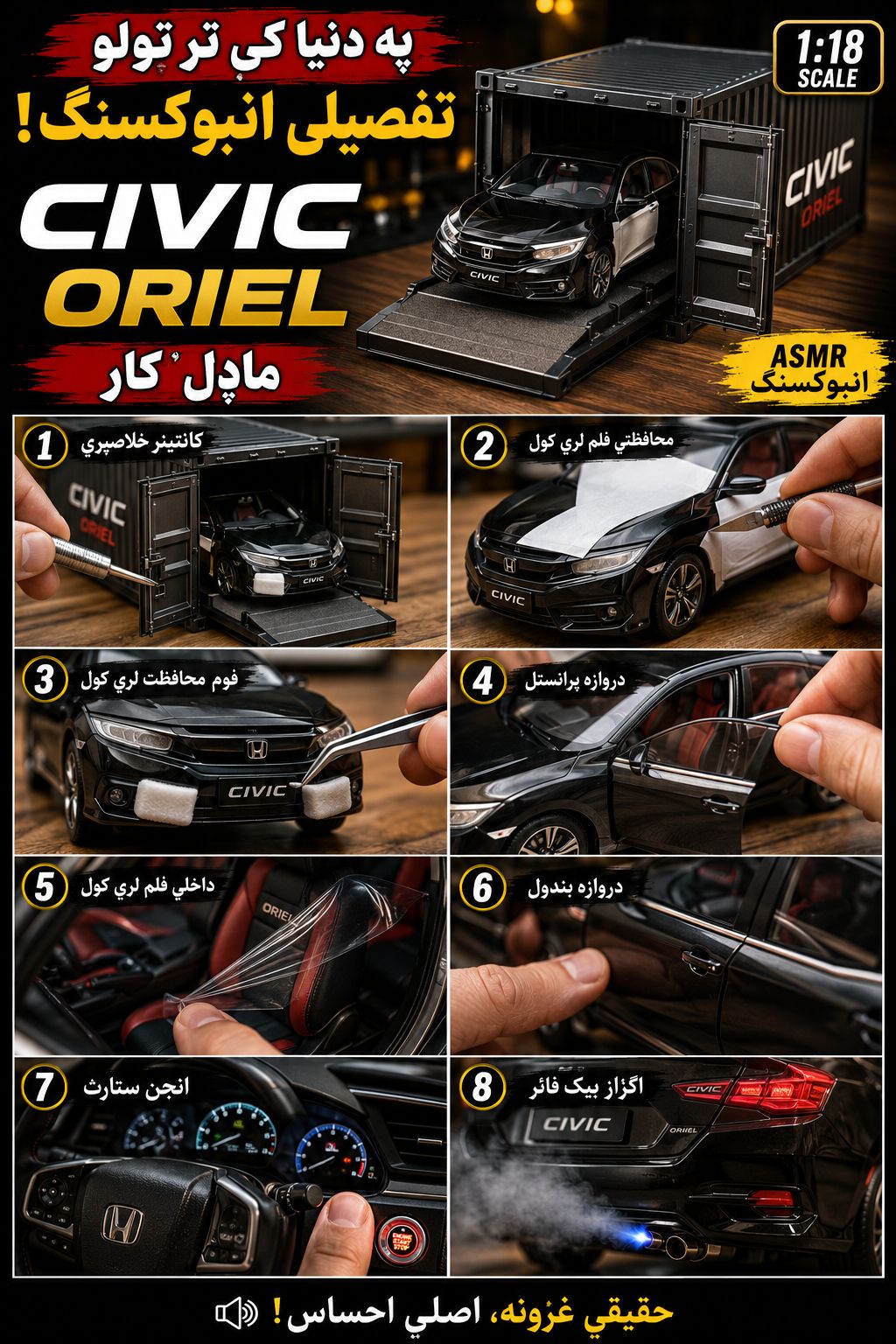
Miniature Car Unboxing Prompt: A hyper-realistic, macro-lens ASMR unboxing video of a highly detailed die-cast miniature [VEHICLE_NAME] on a smooth wooden tabletop. Cinematic studio lighting, sharp focus, and shallow depth of field. The video must follow this exact shot sequence: Shot 1 (The Reveal): A hand uses a small metal pry tool to unlatch and open the dual doors of a miniature black shipping container, revealing the vehicle sitting on a slide-out tray inside. Shot 2 (Peeling Film): The vehicle is out of the container. A hand uses a hobby knife to peel off white protective vinyl wraps from the car's glossy body panels. Shot 3 (Foam Removal): A hand uses tweezers to carefully pull off white foam protective blocks wedged into the front bumper grille. Shot 4 (Door Open): A finger gently pulls open the detailed driver-side door. Shot 5 (Interior Unwrapping): Macro shot inside the cabin. A hand pulls off clear protective plastic film covering the front bucket seats. Shot 6 (Door Close): A hand firmly clicks the driver-side door shut. Shot 7 (Ignition): Ultra close-up of the dashboard and steering wheel. A finger presses the push-to-start button, instantly lighting up the digital instrument cluster gauges. Shot 8 (Exhaust Backfire): Close-up of the rear exhaust pipe. The engine revs, shooting out a realistic puff of exhaust smoke followed by a sharp, vibrant burst of blue flame.
FAQ
What is this video prompt?
Yes — one card: Miniature Unboxing Hyper-realistic. Same as tapping that video in the PromptPix app.
Image Prompt vs Video Prompt on this card?
Image Prompt is for a still in Gemini or ChatGPT. Video Prompt is for motion in Flow or Gemini video. Copy only the block you need.
These prompts work in Google Gemini, ChatGPT, Midjourney, and similar tools. For Image to Prompt from your own photo, use the PromptPix app.





