
This page is one Video Prompt from the PromptPix app — Scene Wide Establishing. Image Prompt (still) and Video Prompt (motion) stay on this card. No other video is mixed in.
Copy Image Prompt for a still, or Copy on the Video Prompt for motion. Then open Flow, Gemini, or ChatGPT and paste. The site does not auto-paste.
Scene Wide Establishing
Video Prompt
Video Prompt
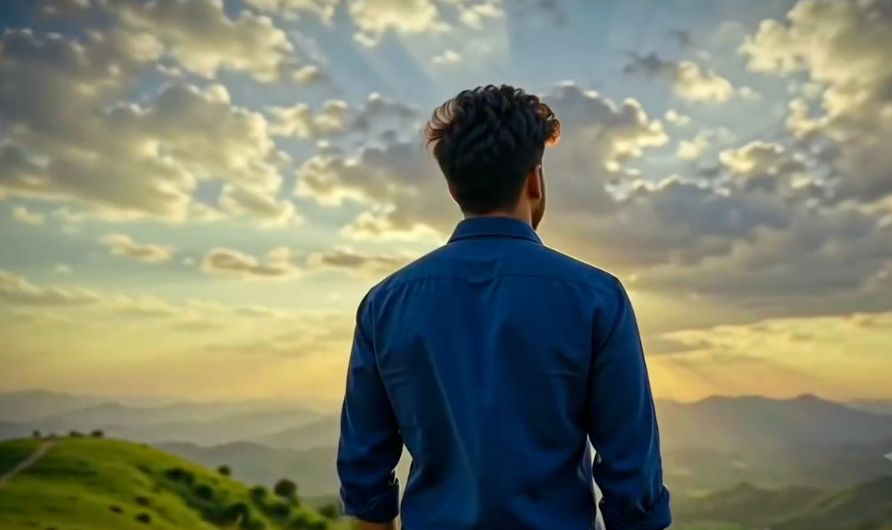
Scene 1 — 0–2 sec: Wide establishing shot of a young man standing alone on a beautiful hilltop during evening sunset. Golden-orange sunlight, distant mountains, soft clouds, and a gentle breeze naturally moving his clothes. The camera slowly pushes toward him.

Scene 2 — 2–4 sec: Medium side-profile shot. He slowly walks forward while looking toward the glowing horizon, with a calm, emotionally lost expression, as if remembering someone special. Smooth cinematic tracking movement.

Scene 3 — 4–6 sec: Close-up of his face. He stops, gently closes his eyes, and takes a deep breath. Warm sunset light falls naturally across his face, with subtle lens flare and shallow depth of field.

Scene 4 — 6–8 sec: Slow-motion shot from behind as he raises his face toward the sky. The wind naturally moves his clothes while sunlight shines through dramatic clouds. The camera makes a smooth cinematic arc around him.

Scene 5 — 8–10 sec: Emotional final close-up. He opens his eyes and gives a very subtle, bittersweet smile while looking toward the horizon. The camera slowly pulls back, revealing the vast sunset mountains behind him.

Overall: Photorealistic cinematic visuals, emotional romantic mood, natural body movement, smooth transitions between every scene, realistic lighting, cinematic color grading, shallow depth of field, no female character, no text, no watermark, 16:9 widescreen.
FAQ
What is this video prompt?
Yes — one card: Scene Wide Establishing. Same as tapping that video in the PromptPix app.
Image Prompt vs Video Prompt on this card?
Image Prompt is for a still in Gemini or ChatGPT. Video Prompt is for motion in Flow or Gemini video. Copy only the block you need.
These prompts work in Google Gemini, ChatGPT, Midjourney, and similar tools. For Image to Prompt from your own photo, use the PromptPix app.





