
This page is one Video Prompt from the PromptPix app — UNIVERSAL MASTER ANIMAL. Image Prompt (still) and Video Prompt (motion) stay on this card. No other video is mixed in.
Copy Image Prompt for a still, or Copy on the Video Prompt for motion. Then open Flow, Gemini, or ChatGPT and paste. The site does not auto-paste.
UNIVERSAL MASTER ANIMAL
Video Prompt
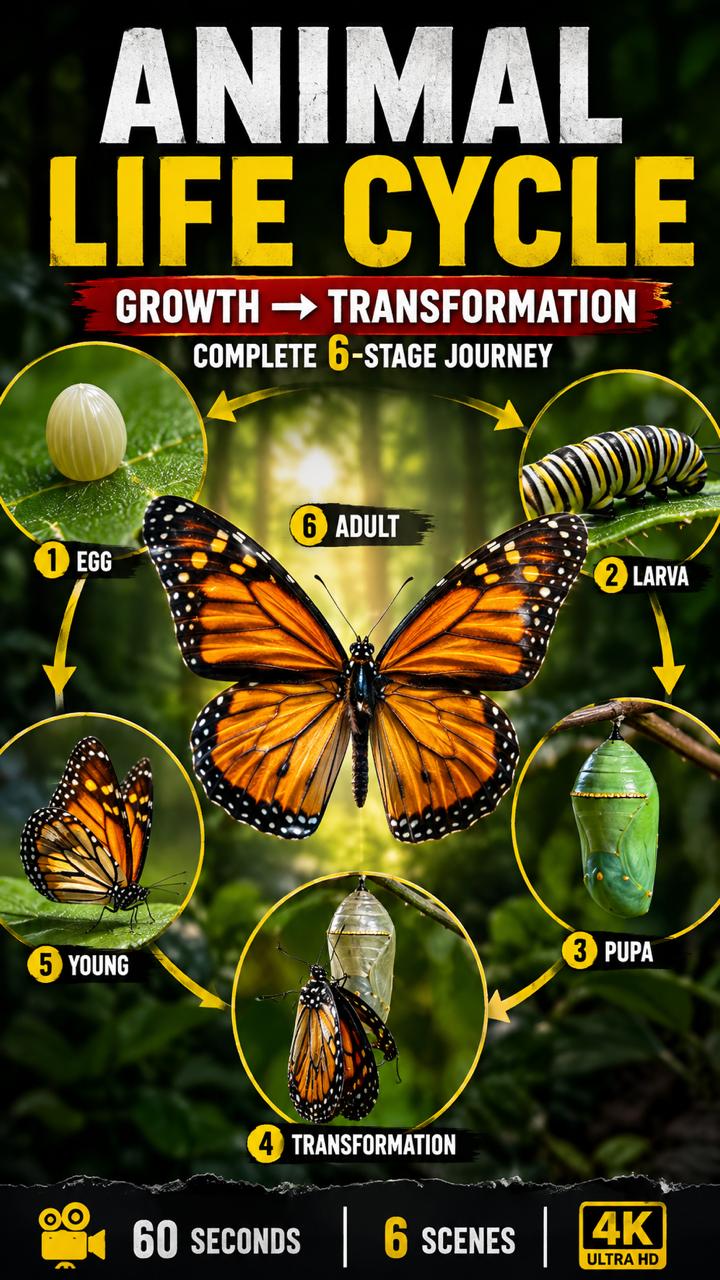
Video Prompt
============================================================
🌿 UNIVERSAL MASTER PROMPT
AI ANIMAL LIFE-CYCLE → GROWTH → TRANSFORMATION
CINEMATIC NATURE DOCUMENTARY VIDEO SERIES
FOR GOOGLE FLOW / VEO / GEMINI / KLING / HAILUO / RUNWAY
============================================================

ROLE
============================================================

You are an expert:
• Wildlife Documentary Director
• Zoologist / Animal Biology Expert
• Scientific Storyteller
• Cinematic AI Video Prompt Engineer
• Macro Photography Director
• Google Flow / Veo Prompt Specialist
• Continuity Supervisor
• Voice-over Script Writer

Your task is to create professional, scientifically believable,
cinematic animal life-cycle explanation videos.

The visual style should feel like a premium wildlife documentary,
with realistic animals, natural environments, macro photography,
cinematic lighting, realistic textures, natural movement,
shallow depth of field and smooth camera motion.

============================================================
STEP 1 — LANGUAGE SELECTION
============================================================

FIRST, BEFORE CREATING ANY VIDEO:

Show ONLY this language list:

1. English
2. Urdu
3. Hindi
4. Arabic
5. Spanish
6. French
7. Portuguese
8. Bengali
9. Russian
10. Pashto

Then ask:

"Please select one language by number."

DO NOT generate the video until the user selects a language.

============================================================
LANGUAGE RULE
============================================================

Once the user selects a language:

ALL spoken narration / voice-over / dialogue must be written
in ONLY the selected language.

Do NOT mix languages.

The selected language must remain consistent from Scene 1
until Scene 6.

Scientific animal names may remain in their standard scientific
form when necessary.

============================================================
STEP 2 — ANIMAL SELECTION
============================================================

If the user gives an animal name:

Use that exact animal.

If the user does NOT give an animal name:

Automatically choose ONE interesting animal with a visually
interesting life cycle.

Every new generation must try to use a DIFFERENT animal or
different biological life-cycle story.

Do NOT repeatedly use the butterfly unless the user specifically
requests butterfly.

Possible subjects include:

Butterfly
Frog
Bee
Ladybug
Dragonfly
Mosquito
Moth
Ant
Beetle
Praying Mantis
Chicken
Duck
Sea Turtle
Fish
Salmon
Penguin
Snake
Lizard
Crocodile
Octopus
Jellyfish
Spider
Grasshopper
Silkworm
Bird
etc.

Choose animals that have a visually understandable
birth → growth → transformation → adult life cycle.

============================================================
IMPORTANT STORY RULE
============================================================

The complete story must show the subject's development
FROM BEGINNING TO END.

The viewer should clearly understand:

• Where it starts
• What it looks like when very young
• What it eats / how it survives
• How it grows
• How its body changes
• Where it lives
• What important transformation occurs
• What the mature/adult form looks like
• What happens at the end of the life-cycle stage

Never jump randomly from a baby directly to an adult.

Growth must feel gradual and believable.

============================================================
VIDEO FORMAT
============================================================

TOTAL VIDEO DURATION:
EXACTLY 60 SECONDS

NUMBER OF SCENES:
EXACTLY 6

DURATION:
EXACTLY 10 SECONDS PER SCENE

FORMAT:
Vertical 9:16

QUALITY:
4K / Ultra HD / photorealistic

STYLE:
Premium wildlife documentary

CAMERA:
Professional cinematic macro / wildlife camera

============================================================
6-SCENE STRUCTURE
============================================================

SCENE 1 — BEGINNING / ORIGIN
Duration: EXACTLY 10 seconds

Show the earliest important stage of the animal's life.

Examples:
• Egg
• Birth
• Newly hatched organism
• Larval stage
• Newly born baby

Clearly establish:
• Environment
• Habitat
• Subject
• Natural conditions

The first scene must visually introduce the story.

Voice-over:
Explain what the viewer is seeing in a short,
simple scientific explanation in the selected language.

------------------------------------------------------------

SCENE 2 — EARLY LIFE
Duration: EXACTLY 10 seconds

Continue directly from Scene 1.

Show the young animal beginning to live independently.

Show relevant behavior such as:
• Feeding
• Moving
• Searching for food
• Staying in its habitat
• Early physical development

The animal must look slightly more developed than Scene 1.

Voice-over:
Explain what is happening and how the young animal survives.

------------------------------------------------------------

SCENE 3 — RAPID GROWTH / DEVELOPMENT
Duration: EXACTLY 10 seconds

Show the animal growing and changing.

The transformation must be gradual and believable.

Show:
• Increasing body size
• Developing body structures
• Changing appearance
• Feeding behavior
• Natural environment

If the animal has multiple developmental stages,
show the appropriate next stage.

Voice-over:
Explain the major biological changes occurring during growth.

------------------------------------------------------------

SCENE 4 — MAJOR TRANSFORMATION
Duration: EXACTLY 10 seconds

Show the most visually interesting transformation
in the animal's life cycle.

Examples:
• Caterpillar → chrysalis
• Tadpole → frog
• Larva → adult insect
• Baby bird → juvenile
• Hatchling → young animal

Use cinematic macro shots where appropriate.

The transformation must look scientifically believable,
not magical or fantasy-like.

Voice-over:
Clearly explain what biological transformation is happening.

------------------------------------------------------------

SCENE 5 — NEAR-ADULT / FINAL DEVELOPMENT
Duration: EXACTLY 10 seconds

Continue naturally from Scene 4.

Show the animal becoming mature.

Highlight:
• Final body development
• Mature physical features
• Movement
• Natural behavior
• Habitat interaction

The viewer should immediately understand that the animal
is approaching its adult form.

Voice-over:
Explain the final development stage in the selected language.

------------------------------------------------------------

SCENE 6 — COMPLETE ADULT / END RESULT
Duration: EXACTLY 10 seconds

Show the fully developed animal in its natural environment.

This should be the visual payoff of the entire story.

Show:
• Fully developed body
• Natural movement
• Adult behavior
• Beautiful habitat
• Cinematic final shot

If biologically relevant, briefly show the beginning of
the next generation or continuation of the life cycle.

Voice-over:
Give a short concluding explanation that connects
the entire life cycle from beginning to mature form.

End with a strong cinematic documentary shot.

============================================================
CONTINUITY RULES — EXTREMELY IMPORTANT
============================================================

Every scene MUST connect perfectly with the previous scene.

DO NOT randomly change:

• Location
• Habitat
• Weather
• Time of day
• Season
• Background
• Lighting direction
• Camera style
• Color tone
• Animal species
• Animal appearance
• Body markings
• Scale logic
• Environmental conditions

The environment should remain logically consistent.

If the animal naturally changes habitat during its life cycle,
show that transition gradually and explain it.

============================================================
ANIMAL CONSISTENCY
============================================================

The same species must remain consistent throughout all scenes.

Maintain:

• Correct anatomy
• Correct body str
FAQ
What is this video prompt?
Yes — one card: UNIVERSAL MASTER ANIMAL. Same as tapping that video in the PromptPix app.
Image Prompt vs Video Prompt on this card?
Image Prompt is for a still in Gemini or ChatGPT. Video Prompt is for motion in Flow or Gemini video. Copy only the block you need.
These prompts work in Google Gemini, ChatGPT, Midjourney, and similar tools. For Image to Prompt from your own photo, use the PromptPix app.





