
This page is one Video Prompt from the PromptPix app — UNIVERSAL MASTER REFERENCE-BASED. Image Prompt (still) and Video Prompt (motion) stay on this card. No other video is mixed in.
This card asks the model to keep an uploaded face or reference. Leave those lock lines in on the first generate.
Copy Image Prompt for a still, or Copy on the Video Prompt for motion. Then open Flow, Gemini, or ChatGPT and paste. The site does not auto-paste.
UNIVERSAL MASTER REFERENCE-BASED
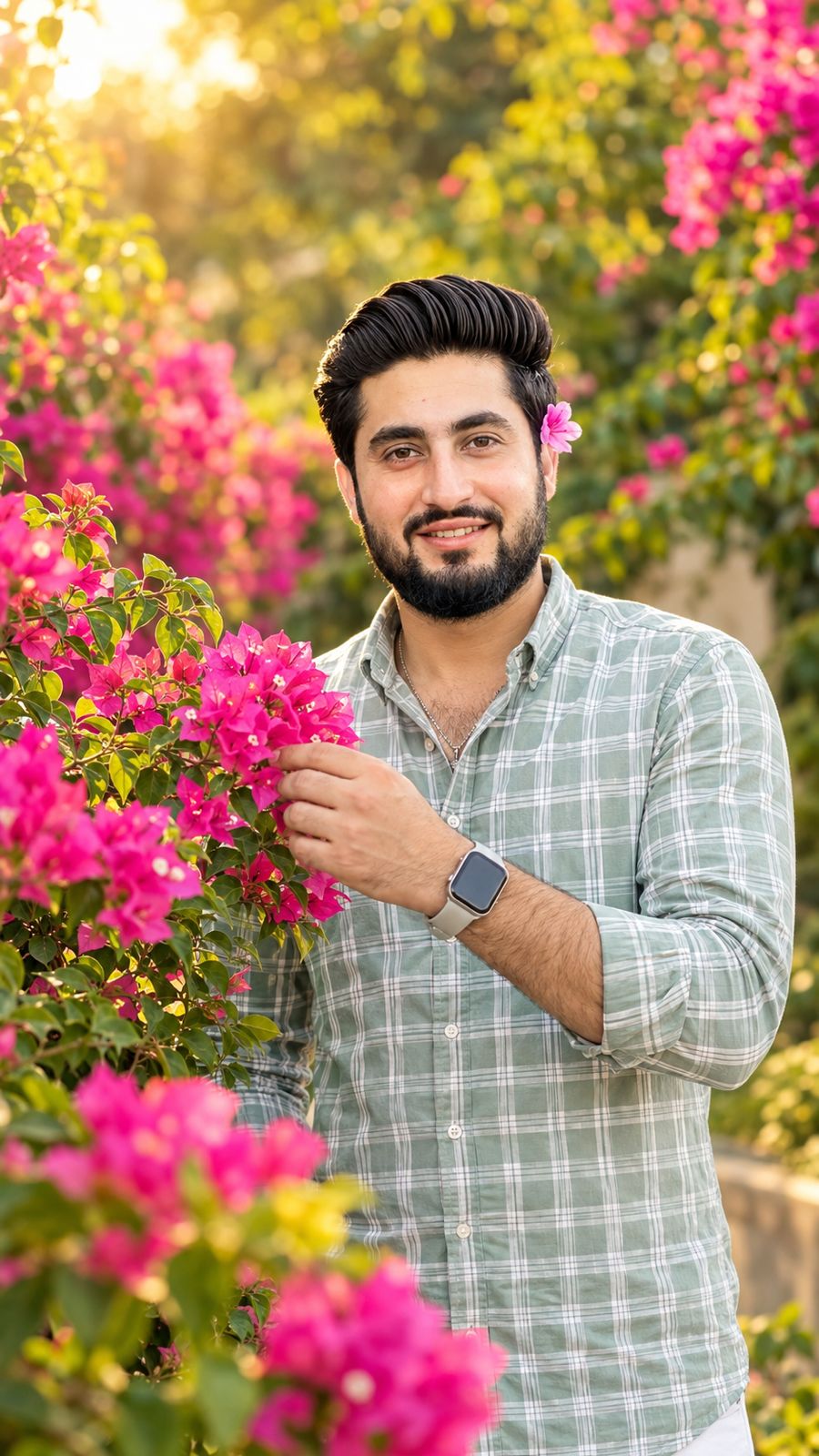
Video Prompt
UNIVERSAL MASTER PROMPT — REFERENCE-BASED 10-SECOND CINEMATIC VIDEO

Create an exact 10-second, 16:9 landscape, 30fps, normal real-time-speed, ultra-photorealistic cinematic live-action video based on the uploaded reference image/video.

1. ABSOLUTE CHARACTER REFERENCE RULE

The uploaded character image is the ONLY source of truth for the person's identity and appearance.

Before generating the video, carefully analyze the uploaded character reference and preserve the person exactly as shown.

If the uploaded person is FEMALE:

Keep the same female identity, natural face, facial structure, skin tone, hairstyle, hair length, hair texture, body proportions, height, natural build, and clothing from the uploaded reference.

If the uploaded person is MALE:

Keep the same male identity, natural face, facial structure, skin tone, hairstyle, hair length, hair texture, beard/moustache, body proportions, height, natural build, and clothing from the uploaded reference.

CRITICAL:

Never transfer gender-specific features from any example, scene description, previous generation, or another reference into the uploaded person.

If the reference is male:

- Do NOT give him female hairstyle.
- Do NOT give him female clothing.
- Do NOT give him a female body shape.
- Do NOT remove or change his beard/moustache.
- Do NOT feminize his appearance.

If the reference is female:

- Do NOT give her male hairstyle.
- Do NOT add beard or moustache.
- Do NOT masculinize her appearance.
- Do NOT replace her clothing with male clothing.

The uploaded person's gender presentation, face, hair, facial hair, clothing, body proportions and overall appearance always have priority.

KEEP THE PERSON — CHANGE ONLY THE ACTION, CAMERA, ENVIRONMENT AND OTHER ELEMENTS SPECIFICALLY REQUESTED BELOW.

Do not reinterpret, beautify, regenerate, replace, retouch, smooth, reshape, age, de-age or stylize the person's identity.

2. OUTFIT LOCK

The clothing must remain exactly the same as visible in the uploaded character reference.

Do not copy clothing from any example prompt.

Do not change:

- gender-specific clothing
- shirt/top
- trousers/pants
- dress
- sleeves
- colors
- patterns
- fabric type
- fit
- accessories

If the uploaded reference shows a different outfit than the example described below, IGNORE the example outfit completely and use the uploaded person's actual outfit.

3. HAIR & FACIAL HAIR LOCK

The person's hairstyle must remain exactly consistent with the uploaded reference.

Do not automatically create a bun, ponytail, long hair, short hair, blue hair clip, loose strands, or any other hairstyle unless that feature is actually present in the uploaded reference.

Likewise, preserve the person's actual beard, moustache, sideburns and facial-hair pattern exactly as shown.

The character must look unmistakably like the same real person throughout the entire 10-second video.

4. UNIVERSAL PERFORMANCE

Recreate the following natural flower interaction, adapting it naturally to the uploaded person's gender, hairstyle, clothing and physical appearance.

The person is standing in a lush flower garden filled with dense green foliage and abundant bright pink flowering bushes similar to bougainvillea.

Warm natural late-afternoon sunlight illuminates the scene.

Soft green background bokeh, shallow depth of field, realistic skin tones, natural highlights, rich pink-and-green colors and a soft cinematic photographic look.

The person's appearance must remain consistent across every shot.

---

SCENE 1 — 0.0–2.2s

Begin with a very close shallow-depth-of-field shot of a pink flowering branch and green leaves in the foreground.

The person's hand naturally enters from the appropriate side of the frame and gently reaches toward the flowers.

The hand lightly touches or holds a small flower branch/cluster with relaxed, anatomically realistic fingers.

A small portion of the person's actual clothing from the uploaded reference may be visible at the edge of the frame.

Do not invent a different sleeve, outfit or hairstyle.

Camera remains close to the flowers with subtle natural movement.

Background heavily blurred.

---

SCENE 2 — 2.2–4.7s

HARD CUT.

Medium rear shot of the same person standing directly in front of the dense flowering bush.

The person's back faces the camera.

The person naturally raises one hand toward their own hair/head area and gently adjusts or touches their hair near the ear/temple.

IMPORTANT:

Adapt this action to the person's actual hairstyle.

Do NOT create a bun or hair clip if they do not have one.

Do NOT change the person's hair length or hairstyle.

If the person has facial hair, preserve it naturally whenever it can be visible from the angle.

The person remains mostly stationary with relaxed shoulders.

Pink flowers fill the background.

Stable intimate composition.

---

SCENE 3 — 4.7–6.8s

HARD CUT.

Closer rear three-quarter view.

The person slowly lowers their hand away from their hair and subtly turns their head/body toward the flowering bush.

They naturally look at the flowers immediately in front of them.

Preserve the person's actual hairstyle, hair length, facial hair, clothing and body proportions from the uploaded reference.

Any visible loose hair or hair movement must remain consistent with the actual reference hairstyle.

Camera makes only a gentle natural lateral/forward movement.

No exaggerated movement.

---

SCENE 4 — 6.8–8.0s

HARD CUT.

Wider rear shot revealing approximately waist-up and a larger section of the flowering bush.

The person makes a small natural step or weight shift closer to the flowers.

Posture remains relaxed.

One arm naturally begins moving forward toward a flower branch while the other remains relaxed.

The person's actual clothing must remain unchanged.

Camera remains steady with subtle cinematic depth.

Foreground leaves softly frame the shot.

---

SCENE 5 — 8.0–10.0s

HARD CUT.

Close rear three-quarter shot focused on the person's upper body and hand.

The person extends their hand toward a nearby pink flower cluster and gently holds or brushes the flowers with their fingertips.

They naturally look toward the flower they are touching.

Preserve the person's actual identity, hairstyle, facial hair, clothing and body proportions exactly.

The final frame holds naturally on the hand near the pink flowers with dense green foliage and soft pink bokeh behind.

---

5. PERFORMANCE CONTINUITY

Maintain this exact chronological structure:

flower close-up → hand touches flower → rear shot adjusting own hair → rear three-quarter turn toward flowers → wider natural step/weight shift → hand reaches toward flower → close flower interaction

The performance must feel like a real person naturally interacting with flowers.

Preserve:

- realistic finger anatomy
- subtle wrist movement
- natural head turns
- realistic body weight shifts
- natural fabric folds
- realistic hair movement
- natural flower and leaf movement
- realistic sunlight
- physically believable interaction with flowers

No invented choreography.

6. CAMERA & CINEMATOGRAPHY

Ultra-photorealistic live-action.

16:9 landscape.

30fps.

Exactly 10 seconds.

Normal real-time speed.

Natural cinematic camera behavior.

Shallow depth of field.

Realistic optical depth.

Natural lens rendering.

Soft late-afternoon sunlight.

Natural skin texture.

No artificial beauty processing.

Each scene must be a distinct hard cut.

Do NOT merge the five scenes into one continuous take.

Do NOT create unrelated shots.

7. REFERENCE PRIORITY

When there is any conflict between this written prompt and the uploaded character reference:

THE UPLOADED CHARACTER REFERENCE ALWAYS WINS FOR:

1. Gender
2. Face
3. Identity
4. Skin tone
5. Hair
6. Hair length
7. Facial hair
8. Body proportions
9. Height/build
10. Clothing
11. Accessories
12. Natural appearance

The written prompt controls only the requested flower-garden environment, performance, cam
FAQ
What is this video prompt?
Yes — one card: UNIVERSAL MASTER REFERENCE-BASED. Same as tapping that video in the PromptPix app.
Should I upload a reference photo?
Yes if the text says to match a face or scene. Add the photo in Flow or Gemini, then paste this prompt without deleting the match lines.
Image Prompt vs Video Prompt on this card?
Image Prompt is for a still in Gemini or ChatGPT. Video Prompt is for motion in Flow or Gemini video. Copy only the block you need.
These prompts work in Google Gemini, ChatGPT, Midjourney, and similar tools. For Image to Prompt from your own photo, use the PromptPix app.





