
This page is one Video Prompt from the PromptPix app — Video1 Motion Camera. Image Prompt (still) and Video Prompt (motion) stay on this card. No other video is mixed in.
This card asks the model to keep an uploaded face or reference. Leave those lock lines in on the first generate.
Copy Image Prompt for a still, or Copy on the Video Prompt for motion. Then open Flow, Gemini, or ChatGPT and paste. The site does not auto-paste.
Video1 Motion Camera
Video Prompt
Use @video1 as the exact motion, camera, choreography, framing, pacing and scene reference.

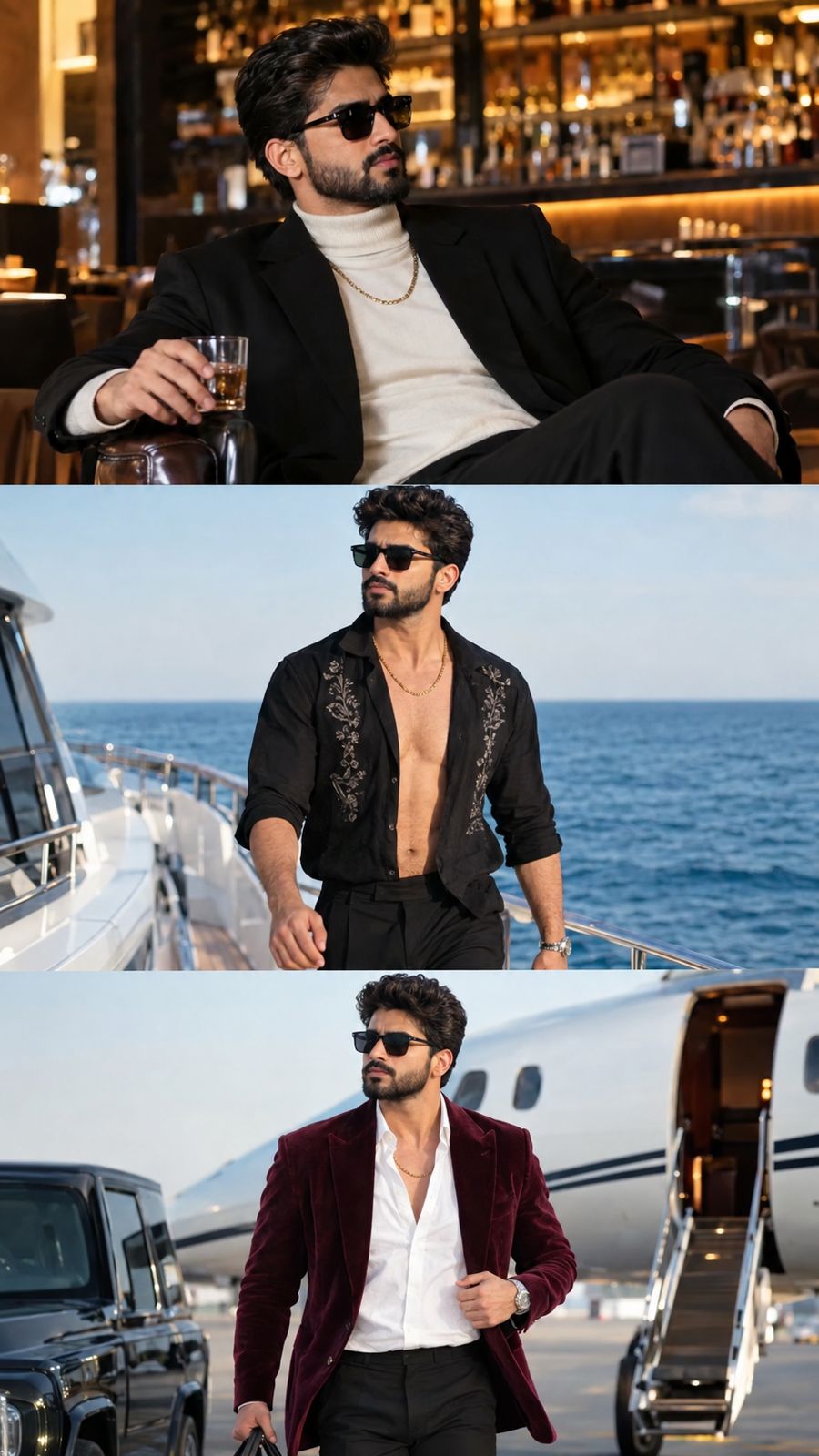
Replace the main character with the same person from @image1, @image2 and @image3. Preserve his exact face, facial structure, hairstyle, beard, skin tone and overall identity consistently throughout the entire video.

Match the outfits to the corresponding scenes:

• @image1 — black blazer, cream/white turtleneck, black trousers, gold chain and black sunglasses. Use this outfit for the opening bar/interior sequence.

• @image2 — black open shirt with embroidered details, bare chest, black trousers, gold chain, sunglasses and watch. Use this outfit for the yacht/ocean sequence.

• @image3 — burgundy velvet blazer, white open-collar shirt, black trousers, gold chain, sunglasses and watch. Use this outfit for the final airport/private-jet sequence.

Keep each outfit locked to its respective section and transition naturally when the reference video changes locations/outfits.

Reproduce the original subject's exact actions, body movement, gestures, walking, posing and interaction timing from @video1. Preserve the original cinematic camera movements, shot sizes, angles, cuts and composition. Maintain realistic anatomy, natural facial expressions and physically accurate clothing movement.

Cinematic, photorealistic, premium film look. Do not alter the face, hairstyle or beard. No facial marks, tattoos or unwanted accessories. No identity drift.
FAQ
What is this video prompt?
Yes — one card: Video1 Motion Camera. Same as tapping that video in the PromptPix app.
Should I upload a reference photo?
Yes if the text says to match a face or scene. Add the photo in Flow or Gemini, then paste this prompt without deleting the match lines.
Image Prompt vs Video Prompt on this card?
Image Prompt is for a still in Gemini or ChatGPT. Video Prompt is for motion in Flow or Gemini video. Copy only the block you need.
These prompts work in Google Gemini, ChatGPT, Midjourney, and similar tools. For Image to Prompt from your own photo, use the PromptPix app.





